
Switch Apache to Nginx for Faster Database Loading: Complete Migration Guide (2026)
Switch Apache to Nginx for Faster Database Loading if your website suffers from slow page speeds, high server load, or delayed database queries. Migrating from Apache to Nginx can significantly improve website performance by reducing server resource usage, handling more concurrent requests, and delivering database-driven content faster. This guide explains the complete migration process, optimization techniques, and best practices for achieving maximum performance in 2026.

Why Switch Apache to Nginx for Faster Database Loading?
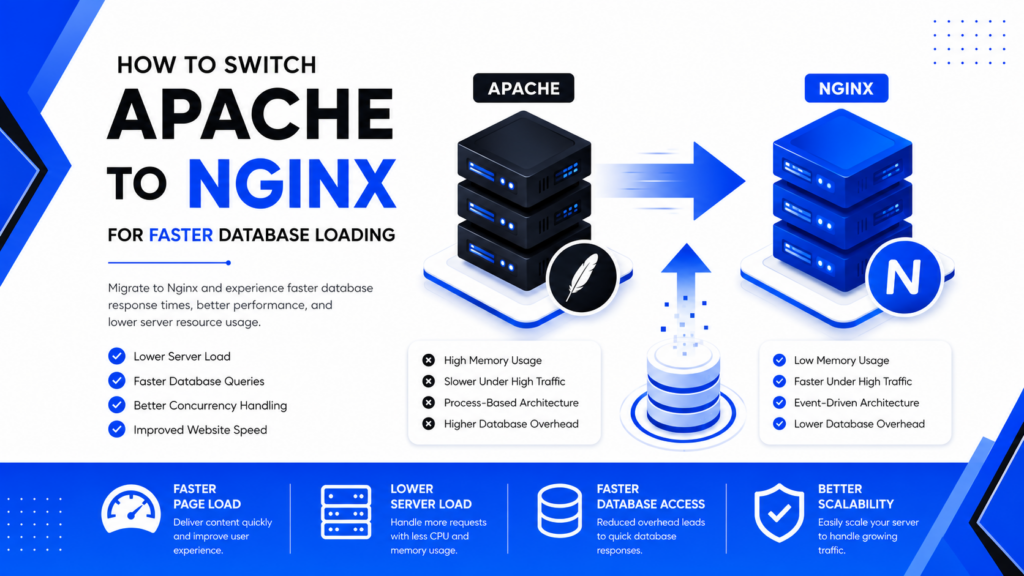
Apache is an excellent web server and powers millions of websites, as detailed in the Apache HTTP Server Documentation. However, its process-based architecture can become highly resource-intensive under heavy traffic. When you decide to Switch Apache to Nginx for Faster Database Loading, you transition to an event-driven, asynchronous architecture. This structural difference allows the server to process concurrent PHP requests and MySQL queries efficiently without exhausting your server's RAM.
Benefits of Switching Apache to Nginx for Faster Database Loading
Many webmasters upgrade their hardware without realizing the server software is the bottleneck. The Nginx Documentation highlights several core advantages. The primary benefits include:
- Lower RAM Usage: Nginx handles 10,000+ connections with minimal memory.
- Reduced CPU Utilization: Leaves more processing power for complex database queries.
- Faster Database Response Times: By reducing the web server's waiting time, MySQL processes requests faster.
- Scalability: Built-in caching makes scaling effortless.
How to Switch Apache to Nginx for Faster Database Loading
If you are ready to Switch Apache to Nginx for Faster Database Loading, the process requires carefully disabling Apache, installing Nginx, and configuring PHP-FPM. Follow these exact steps:
1. Backup Everything First
Never start a migration without backups. Ensure you have copies of your /var/www/ directory, databases, and SSL certificates.
2. Install Nginx
For Ubuntu servers, update your packages and install the lightweight server:
sudo apt update
sudo apt install nginx
nginx -v
3. Install and Configure PHP-FPM
Apache uses mod_php, but Nginx requires PHP-FPM. (Learn more via the PHP-FPM Documentation).
sudo apt install php-fpm
sudo systemctl enable php8.3-fpm
sudo systemctl start php8.3-fpm
4. Configure the Nginx Server Block
server {
    listen 80;
    server_name example.com;
    root /var/www/html;
    index index.php index.html;

    location / {
        try_files $uri $uri/ /index.php?$query_string;
    }

    location ~ \.php$ {
        include snippets/fastcgi-php.conf;
        fastcgi_pass unix:/run/php/php8.3-fpm.sock;
    }
}
Common Mistakes When Switching Apache to Nginx for Faster Database Loading
A failed migration can cause downtime. When you Switch Apache to Nginx for Faster Database Loading, watch out for these pitfalls:
- Forgetting .htaccess rules: Nginx does not read Apache's
.htaccessfiles. You must manually convert all rewrite rules. - Incorrect PHP Socket: A mismatched PHP-FPM socket path causes the dreaded 502 Bad Gateway error.
- Ignoring Database Tuning: Nginx makes the delivery faster, but optimizing your tables via the MySQL Documentation or MariaDB Documentation is still mandatory.
Best Practices After You Switch Apache to Nginx for Faster Database Loading
To get the maximum return on your migration effort, apply these post-migration best practices:
- Enable FastCGI Caching to serve dynamic database pages as static HTML.
- Activate Gzip or Brotli compression to shrink response payloads.
- Secure your new server environment by reviewing our Nginx Security Best Practices.
- Offload heavy static assets by following a CDN Configuration Guide.
FAQ About Switching Apache to Nginx for Faster Database Loading
Indirectly. While it reduces web server overhead, allowing PHP and the database to process requests with less contention, you must still optimize your database tables and indexes.
Yes. If you test your Nginx configuration on an alternative port (like 8080) or a staging environment first, you can swap the services instantly with zero downtime.
Absolutely. WordPress runs exceptionally well when paired with PHP-FPM and properly translated URL rewrite rules.
Conclusion
When you take the time to Switch Apache to Nginx for Faster Database Loading, you are making one of the most impactful infrastructure upgrades possible for your website. By reducing memory consumption and offloading static files efficiently, your server can dedicate its resources to executing PHP scripts and fetching database rows. Follow this guide carefully, implement the caching layers, and enjoy a vastly faster, more scalable web application.