
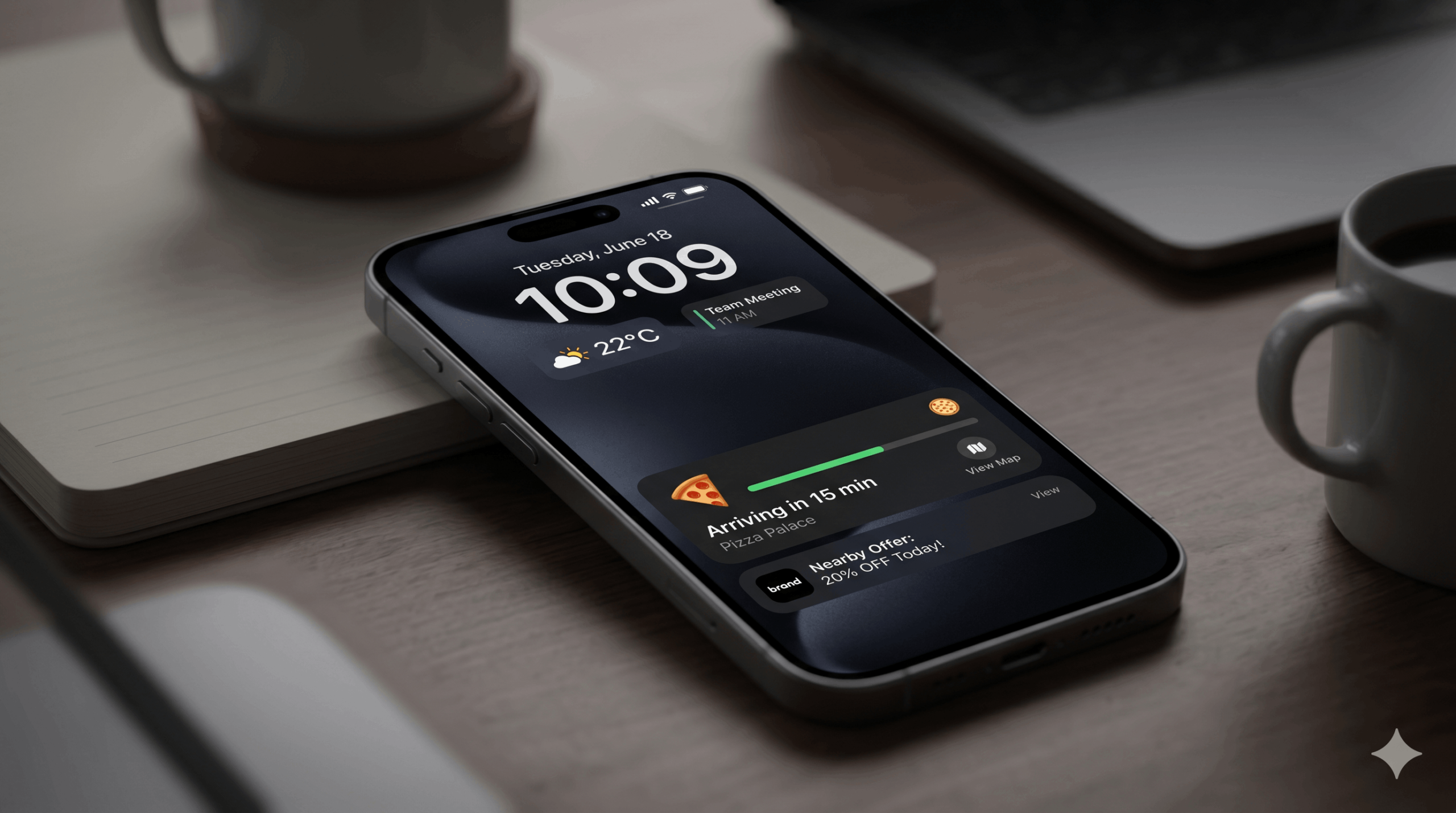
How to Win Zero-Click Discoverability on iOS 26’s Always-On Display
Since the release of iOS 26, Apple has fundamentally tweaked the Always-On Display. For digital marketers, this shift means one critical thing: prime digital real estate has migrated from the app grid to the lock screen. The question you need to be asking isn’t how to get more clicks—it’s how to convert a user without a single click.
Welcome to the era of zero-click discoverability.
In this guide, we’ll break down exactly how you can adapt your digital marketing strategy to capitalize on the Always-On Display, utilizing Live Activities and hyper-contextual push notifications to drive offline-to-online conversions.
Why the Lock Screen is the New Landing Page
Traditionally, the marketing funnel for mobile users relied on a sequence of actions: see an ad, tap the ad, open the app, and convert. However, as mobile operating systems become more sophisticated, users are spending more time glancing at their phones without actually unlocking them.
With iOS 26 subtly redesigning the Always-On Display, users are conditioned to consume information at a glance. If your brand requires a user to unlock their phone, open an app, and navigate a menu just to get value, you are introducing massive friction into the user journey.
Zero-click discoverability flips the script. It brings the conversion point directly to the user’s lock screen.
3 Strategies to Convert Users Without a Single Click
To master the Always-On Display, marketers must pivot from “interruption marketing” to “utility marketing.” Here is how you can use iOS tools to deliver immediate value.
1. Leverage Live Activities for Immediate Utility
Live Activities allow apps to stay on the lock screen and update in real-time. Originally designed for sports scores and food delivery tracking, savvy marketers are now turning them into dynamic conversion engines.
The Tactic: If you run an e-commerce app, don’t just send a push notification that a flash sale has started. Use a Live Activity to show a real-time countdown timer and the dropping price of a highly anticipated item directly on the lock screen.
The Execution: Ensure your development team is utilizing the latest Apple Developer guidelines to build visually compelling, branded Live Activities that update seamlessly.
2. Crafting Contextual, Offline-to-Online Push Notifications
A standard push notification is easily swiped away. A contextual push notification, optimized for the Always-On Display, bridges the gap between the physical and digital worlds.
The Tactic: Utilize location-based triggers and offline data. For example, if a user is walking past your retail location, a push notification offering a time-sensitive, in-store discount code that can be scanned directly from the lock screen eliminates the need to open an app.
The Execution: Focus on brevity and high-contrast visuals. To improve your strategy, review comprehensive resources on push notification optimization to ensure your messaging aligns with user intent and geographical context.
3. Visual Optimization for the Always-On Display
Because the Always-On Display dims the screen and reduces the refresh rate to preserve battery life, your visuals must be striking even in low light.
The Tactic: Design your lock screen widgets and notifications with “dark mode” aesthetics in mind. High-contrast typography and minimalist icons perform best when the screen is dimmed.
The Execution: Test your assets rigorously. A beautiful notification in full brightness might become unreadable on an Always-On Display. Make sure your call-to-action (or in this case, your “glance-to-action”) remains legible.
The Future of Zero-Click Marketing
As tech giants continue to prioritize glanceable interfaces, the brands that win will be the ones that deliver the most value with the least amount of friction. Mastering the Always-On Display isn’t just about keeping up with the latest OS updates—it’s about fundamentally rethinking how your brand fits into the daily, moment-to-moment lives of your audience.
Ready to transform your mobile strategy? Explore the fundamentals of omnichannel marketing to ensure your lock screen campaigns perfectly align with your broader digital ecosystem.